
Blog

Latest News and Updates

Vision Helpdesk V2.6.4 Stable Released

Today we have released Vision Helpdesk V2.6.4 Stable Release — this includes fixing of some important bugs in V2.6.2 and some new features added.

Its recommended to upgrade as it will fix below listed bugs in your installation.

Features added in V2.6.4

  • Admin Access
  • DST – Day Light Saving Time
  • Ticket open on clicking entire row
  • Edit staff’s password for admin in manage staff section
  • Client portal forgot password
  • Email template for reply
  • Option to make a client as group manager
  • Make group as self/ shared / managed
  • Now attachment images displayed as thumbnails in ticket
  • Fetch WHMCS Admin and User notes in to Vision Helpdesk ( This is with respect to Fetching WHMCS fields module)

Bug fixes in V2.6.4

  • Cyrillic characters supported
  • Pop3 attachment issue
  • Software info graph no of tickets in a month
  • Login integration edit-update password
  • WHMCS users created multiple times
  • WHMCS view tickets domain wise
  • Blank tickets created if ticket submitted through Google chrome
  • Search option for assigned user in tickets gives execution error
  • View’s display domain wise
  • Mass action for status changes gives execution error
  • If attachment file name consist slashes (single quote) it failed to display attachment name
  • If parser failed to parse attachment should display failure log
  • IE8 issue for staff reply display
  • Attachment file name having space cannot be downloaded

Change Log

You can find the list of files that were edited during version change V2.6.2 to V2.6.4

http://thevisionworld.com/forums/index.php/topic,283.0.html

How to Upgrade to V2.6.4?

Auto Update

Vision Helpdesk offers Auto upgrades from Admin Panel   Click on >> Software Information >> Available Updates will shows updates available for upgrade.

Note : While upgrading it will ask you ftp path –by default it takes complete path to your manage folder which needs to be changed to — ftp path.

Example : A client having path — /home/username/public_html/support/manage/

This path should be changed to — /public_html/support/manage/

(In above example we assume ftp access is given from public_html folder and its sub folders.)

Manual Upgrade :

Step1)  Login to http://secure.visionhelpdesk.com

Step 2) From Product and Services >> View Details >> Download zip – Update from 2.6.2 to 2.6.4

Step 3) Unzip above file and upload it to your installation — that is overwrite files on your installation — make sure if you ftp files then it should be in binary format.

Step 4)  Run http://yourdomain.com/support/manage/upgrade.php in browser that will update to V2.6.4

That’s it..

read more..
Vision HelpdeskVision Helpdesk V2.6.4 Stable Released

Refreshing Change!! Vision Helpdesk V2.6.2 Stable Released

Vision Helpdesk V2.6.2 is not just a regular bug fix or feature release it has something more,  In our past releases  we have talked lot about new features and bug fixes but V2.6.2  brings younger and a fresh design right from Login screen to Staff and Admin Manage Portal.

Internet website design trend is changing more and more websites / social media sites / forums / collaboration sites are adapting WEB2.0 techniques, considering the change we want to put Vision Helpdesk on top of latest techniques — You can explore the new refreshing Vision Helpdesk version and feel the difference..  The new version offers more improved design and a clean user interface that you will fall in love 🙂

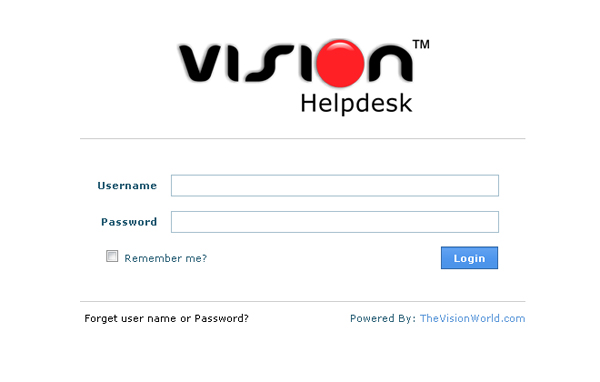
Vision Helpdesk LoginWe recommend users to upgrade to V2.6.2 stable.

We will soon update this post with the list of bugs fixes and features added..

How to Upgrade to Vision Helpdesk V2.6.2?

Auto Update :

Vision Helpdesk offers Auto upgrades from Admin Panel   Click on >> Software Information >> Available Updates will shows updates available for upgrade.

Note : While upgrading it will ask you ftp path –by default it takes complete path to your manage folder which needs to be changed to — ftp path.

Example : A client having path — /home/username/public_html/support/manage/

This path should be changed to — /public_html/support/manage/

(In above example we assume ftp access is given from public_html folder and its sub folders.)

Manual Upgrade :

Step1)  Login to http://secure.visionhelpdesk.com

Step 2) From Product and Services >> View Details >> Download zip – Update from 2.5.2 to 2.6.2

Step 3) Unzip above file and upload it to your installation — that is overwrite files on your installation — make sure if you ftp files then it should be in binary format.

Step 4)  Run http://yourdomain.com/support/manage/upgrade.php in browser that will update to V2.6.2

That’s it..

Addon Domain Upgrade :

You can download addon v2.6.2 setup and upload it to your addon installation make sure you don’t overwrite config.php

Can I preview V2.6.2 before upgrade?

Yes, You can take a glimpse of V2.6.2 stable on our Online Demo.

read more..
Vision HelpdeskRefreshing Change!! Vision Helpdesk V2.6.2 Stable Released

On Demand Private-Branded Help Desk

Vision Helpdesk offers unique feature — “Satellite Helpdesk” that allows you to manage multiple companies support operations from one place – the key thing is Vision Helpdesk creates a logical separation among each company staff,  users,  tickets, knowledge-base and almost everything,.

Vision Helpdesk has central database and single Admin / Staff Portal where each company admin / staff log’s in and can view respective assigned company departments / tickets.  Same way each company has its own client portal which allows that company clients to submit / view their tickets / knowledgebase / news / downloads etc and of course each client portal can be branded as per company name and design.

Apart from scalability Vision Helpdesk has opened up various options for IT companies to manage their support operations.

Talking about options and how companies can use Vision Helpdesk’s Satellite feature, One of our client ( TurnKey Internet )   trust Vision Helpdesk to offer On Demand Private-Branded Helpdesk to their Reseller, VPS and Dedicated hosting clients.

TurnKey Internet  uses Vision Helpdesk Owned Ultimate Plan that offers adding UNLIMITED domains / companies. They have installed Vision Helpdesk on a generic domain every time a reseller sign up with their hosting services they add that Resellers domain as a company in their Vision Helpdesk and provision Reseller with their own Private Branded ( Reseller can have their own company logo ) Ready to use Helpdesk.

Again this is just one way how Vision Helpdesk Satellite feature can be used, If you explore Vision Helpdesk more you will find some more facet of Vision Helpdesk 🙂

read more..
Vision HelpdeskOn Demand Private-Branded Help Desk

CrystalHost Reviews Vision Helpdesk

Recently we signed up with Vision Helpdesk and moved from the internal WHMCS helpdesk, previously Kayako, which I have no problems with only that it no longer serves our needs. We offered managed support to some of our resellers recently with a mixed response but the general feel was sometimes they were unable to help with support requests and had to submit us a support ticket making them feel like the middle man sometimes.

So we looked around and found Vision Helpdesk offer Satellite desks. It also white labels them so their customers don’t know that we even exist. We trialled it with a few resellers now and for an extra couple of bucks per month they are interested in taking it up on a regular basis.

Effectively we can install a master helpdesk and create satellite helpdesks from that, the satellites cannot talk to each other and don’t know each other exists, It has a Superuser/Admin/Domain login hierarchy. Excellent for companies sporting more than one website! As you know WHMCS is limited to the site the billing software is installed on, Kayako is Domain specific and requires a license per domain. Vision work it different, for a low cost you can have the Pro license that we started with which allows you the master site, and the 5 x domain addon sites. They are very inexpensive also.

So what if you have WHMCS, or your resellers. guess what. It integrates each satellite domain to their own WHMCS!! meaning their customers think the tickets are being replied to by their own staff as the replies come from [Staff]. Of course the operators are tracked by their proper names on the helpdesk itself.

Also each Satellite can have its own KB, Downloads, Troubleshooter, Calendar, etc etc. You get the idea.

These guys also allow you to talk live on Gtalk with them for urgent issues. They have excellent customer care, even when we were on the 30 day trial they were just as happy to talk to you, even tho they were not initially making any money from you.

Most of the resellers who tested it have their own VPS’s or shared reseller accounts on our servers, so we have the DB held on our system as the master desk is the only DB. All other satellites link back to it for central storage.

Guys, if you are looking for a very good alternative to Kayako or WHMCS internal system that’s scalable then I would definitely give these guys a try. I will be definately using them from now on.

One con is they have no live Support client but hey, no ones perfect. Al tho I am sure you guys will all agree, there are hundreds of varieties of helpdesks out there!

Just my 2ps worth of information. Check them out at: https://www.visionhelpdesk.com/

__________________
CRYSTALHOST Web Solutions
█ Excellent Value on Domains!
█ Web Hosting • Reseller Hosting • Virtual Hosting • IP PBX Hosting
█ End User Support • Domain Reseller • SSL Certificate • Affiliate Sales Payouts • Globalsign Partner • Netearthone Partner

read more..
Vision HelpdeskCrystalHost Reviews Vision Helpdesk

Vision Helpdesk V2.5.1 Beta Released

Today we have released Vision Helpdesk V2.5.1 Beta Release — this includes fixing of some important bugs in V2.4.12 and several new features added.

Though its a Beta release – the only major feature added in Time Zone – so users can still upgrade to V2.5.1 beta as this will not cause any issues with your existing working — its recommended to upgrade as it will fix below listed bugs in your installation.

Features added in V2.5.1

  • TimeZone — Now you can set TimeZone for each Company and Staff.
  • View all ticket are other than close status.
  • Display number of tickets on all status except close.
  • Perldesk Migration

Bug fixes in V2.5.1

  • Large Attachments Supported
  • Software Info graph
  • Login Integration Update
  • WHMCS users created multiple times
  • WHMCS view tickets domain wise
  • Blank Tickets through Google Chrome
  • Search option for Assigned User gives execution error
  • Assigned User / New Tickets on Quick View ToDo List count differs
  • Tickets not creating for To: Field having comma separated emails , Also CC, BCC.
  • Client Report shows multiple entries for same email
  • WHMCS Integration CSS problem
  • Left panel listing messed on new department/domain
  • Email Templates html not working
  • Alert for HTML contents
  • Preferences (General) domain change issue
  • Pop3 and IMAP — mail queue not found issue

Change Log

You can find the list of files that were edited during version change V2.4.12 to V2.5.1.

http://thevisionworld.com/forums/index.php/topic,202.0.html

How to Upgrade to V2.5.1?

Vision Helpdesk offers Auto upgrades from Admin Panel   Click on >> Software Information >> Available Updates will shows updates available for upgrade.

Note : While upgrading it will ask you ftp path –by default it takes complete path to your manage folder which needs to be changed to — ftp path.

Example : A client having path — /home/username/public_html/support/manage/

This path should be changed to — /public_html/support/manage/

(In above example we assume ftp access is given from public_html folder and its sub folders.)

read more..
Vision HelpdeskVision Helpdesk V2.5.1 Beta Released